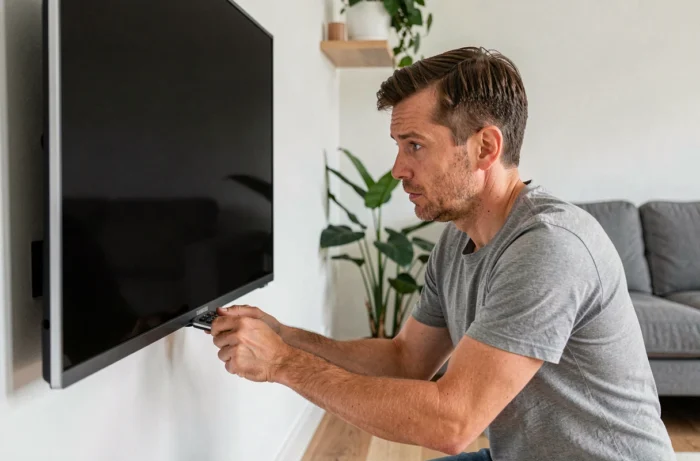
A Samsung TV that displays a black screen while the sound still works, or remains completely silent when switched on, indicates a specific fault. A lack of picture may be caused by a software issue, a faulty connection, or a failed hardware component. Identifying the right cause helps you avoid replacing an unnecessary part or sending the TV in for repair when all it needs is a simple software fix.
Samsung self-diagnosis: the picture test that guides troubleshooting
Before taking anything apart, check a frequently overlooked feature built into recent Samsung TVs: the picture test in the self-diagnosis menu. This test displays a color pattern generated directly by the TV, without using an external source.
If the pattern displays correctly, the problem is not with the panel or the backlight. The fault is then likely to be with the source (set-top box, console, streaming box) or the HDMI connection. If the pattern is missing or distorted, the TV itself is the cause.
The menu path varies depending on the model and Tizen version, but it is usually under Settings, then Support or Self Diagnosis, then Picture Test. This diagnostic takes just a few seconds and helps you avoid unnecessary troubleshooting. If you have a picture problem on a Samsung PS42C96HD TV, this test is the first thing to try, whatever the model.
Some models also offer an HDMI troubleshooting tool in the same menu, which analyzes the signal received on each port. This helps you determine whether the cable is faulty or a port is damaged without having to test several cables at random.
T-Con board, LED backlight, or power supply board: identifying hardware faults
When the built-in picture test confirms that the problem is with the TV, one of three components is usually at fault. Confusing them can lead to costly, ineffective repairs.
Faulty LED backlight
This is the most common scenario when the sound works but the screen stays black. The LED strips behind the LCD panel produce the light that makes the picture visible. Over time, some LEDs burn out and the screen goes completely dark.
A simple test can help confirm this: shine a flashlight a few centimeters from the screen while the TV is on. If a very faint image appears behind the beam, the backlight has failed, but the panel and electronics are working.
Failed T-Con board
The T-Con board (Timing Controller) controls how pixels are displayed on the panel. When it fails, the screen may stay black, show horizontal lines, or display a severely distorted picture. This board is located at the top of the panel and connected by flat ribbon cables.
A black screen with the standby LED on and the backlight working (visible with a flashlight) points to the T-Con board rather than the backlight.
Power supply board
If the TV will not turn on at all (no indicator light, no sound, and no response to the remote), the power supply board is the first suspect. It converts mains power to supply all the components. Bulging or burst capacitors on this board are a common visible sign of failure, which can be spotted by removing the back cover.
Software and connection troubleshooting: checks that fix most problems
A significant number of black screens are not caused by hardware failure. Several software steps and connection checks can restore the picture without any tools or particular technical skills.
- A cold restart (power reset) involves turning off the TV, unplugging the power cable from the wall outlet, waiting about 30 seconds, then turning it back on with the remote. This clears residual electrical charge and fixes common software freezes.
- Updating the Tizen software (Settings, Support, Software Update) installs fixes that may resolve display bugs that appeared after a previous update or a crash.
- A factory reset restores the TV to its original settings. It erases your custom settings but clears any software conflicts that have built up.
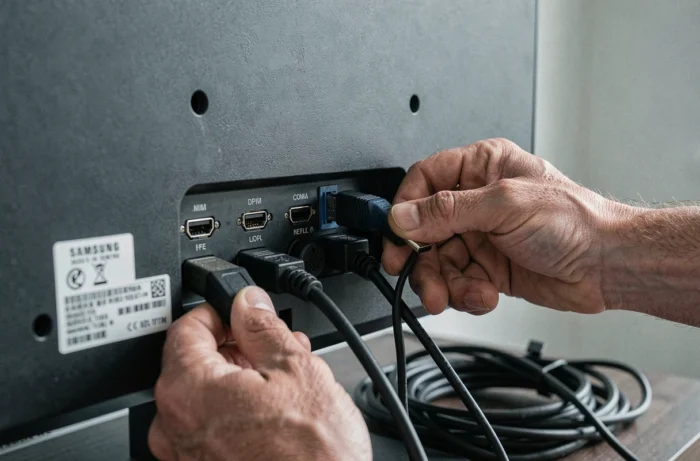
- Switching the HDMI source (using the Source button on the remote) helps determine whether the problem is related to a specific port or device. Testing another HDMI cable in a different port completes the diagnosis.
Flickering or intermittent picture on a Samsung TV: a misleading symptom
A picture that comes and goes or a flickering screen does not necessarily mean the panel is failing. Samsung says this symptom may be caused by the TV signal, HDMI connections, or a software issue.
Before concluding that there is a hardware fault, test each possibility separately: change the channel or source to rule out a signal problem, reconnect the HDMI cables, then perform a cold restart. Regular flickering across all sources points to a hardware issue, while flickering limited to a single input suggests a connection or external device problem.
Warranty and repairs: what to check before taking action
Removing the back cover of a Samsung TV may void the manufacturer’s warranty. The legal guarantee of conformity covers the TV from the date of delivery. Samsung also offers a collection service for devices under or out of warranty, which you can request online.
If the TV is still covered, having Samsung’s after-sales service assess the fault is the safest option. Software troubleshooting (restarting, updating, resetting) does not affect the warranty and can be tried freely. However, replacing a T-Con board or LED strips yourself requires some soldering skills and involves a real risk of electric shock.
The step-by-step diagnostic process described here, from the built-in picture test to identifying the faulty component, helps you give the repair technician a precise description of the problem. This reduces repair time and often lowers the cost.